Quick summary: Struggling with GeoJSON errors blocking your maps or compliance submissions? Discover the top GeoJSON file mistakes and simple fixes to ensure smooth uploads, better traceability, and accurate digital mapping.

If you’ve ever uploaded a GeoJSON file and faced an error that stalled your entire project—you’re not alone. From farm mapping and supply chain traceability to sustainability reporting and carbon projects, GeoJSON files are the backbone of digital mapping and geospatial data exchange. But here’s the catch: even a tiny mistake—like a missing bracket, a coordinate mix-up, or an unclosed polygon—can trigger GeoJSON file errors that break your maps, halt compliance submissions, or crash your traceability system.
Hours of work collecting field data or mapping farm plots can be lost to simple, preventable errors. Worse, these errors often surface only during uploads—when you’re racing against deadlines. In this guide, we’ll break down the most common GeoJSON file errors, show you real-world examples, and give you simple fixes to avoid project delays—whether you’re managing agriculture value chains, carbon projects, or sustainability data.
Key Takeaways
GeoJSON is like the digital language of maps. It’s a simple, text-based file format that tells software exactly where things are on the earth. Whether it’s farm boundaries, forests, supply chain routes, or water bodies, GeoJSON defines those shapes with coordinates.
In agriculture and sustainability? It’s a game-changer.
Imagine managing hundreds of farms across different regions. How do you know where each farm ends and the next one starts?
That’s where GeoJSON steps in—storing every boundary line, point, and polygon so your systems (and satellites) understand exactly where your farms, forests, or project zones are.
From precision farming to deforestation monitoring, GeoJSON makes it possible to:
These aren’t just shapes on a screen. Polygon accuracy = real-world accountability. A wrong line or open polygon can mean:
In sectors like EUDR compliance, farm traceability, and carbon markets, there’s zero room for error.
EUDR Compliance: The EU now demands precise farm geolocation to prove your crops aren’t linked to deforestation.
Farm Traceability: Brands want farm-to-fork visibility. A wrong polygon? You lose the trail.
Carbon Projects: Your carbon credits depend on exact plot-level emission reductions—bad mapping? No credits.
In today’s world of climate regulations, ESG mandates, and sustainable sourcing, GeoJSON accuracy isn’t optional. It’s what protects your business, builds trust with buyers, and keeps you compliant.
Every line drawn wrong is a potential deal lost, a shipment blocked, or a carbon credit rejected.
Working with GeoJSON files can feel like walking a tightrope. One wrong comma, misplaced coordinate, or accidental overlap, and suddenly your farm boundary disappears or your traceability platform throws an error.
Here’s a rundown of the most common GeoJSON file errors, why they happen, how they impact you, and—most importantly—how to fix them.

The Mistake: You accidentally crisscross your polygon, creating a figure-eight or self-intersecting shape.
Why It Breaks: Systems can’t figure out what’s “inside” or “outside” the shape.
Example: Mapping a farm, but the boundary line doubles back over itself.
Fix: Use a GeoJSON validation feature
Problem: Your polygon folds inward or overlaps—like bending paper until the edges meet.
Impact: The system flags it as invalid geometry.
Fix: Avoid creating sharp dents or U-turns in your shape. Keep the boundary clean and continuous.
The Trap: Trying to represent a pond or no-go zone by punching a hole inside your polygon.
Why It Fails: Many platforms don’t support holes and read the shape as broken.
Workaround: Split into two polygons or use half-moon shapes instead.

The Rookie Error: You forget to close the polygon loop—first and last coordinates don’t match.
Impact: System doesn’t know where your shape ends.
Fix: Ensure the first and last coordinate pair are identical.
Example : [[144.0, -5.8], [144.1, -5.9], [144.2, -5.8], [144.0, -5.8]]
Uploading a LineString or Point when the system expects a Polygon.
Tip: Double-check “type”: “Polygon” in your file.
Why It Signals Lazy Mapping: Too few points create unnaturally straight lines, reducing accuracy—bad for curved farm plots or river boundaries.
Solution: Add more coordinates to represent curves better.
The Silent Killer:
System rounds your coordinates to six decimal places, turning two unique points into one.
Example:
-5.8227391234,144.2567071234 → -5.822739,144.256707
-5.8227394567,144.2567074567 → -5.822739,144.256707
Fix: Clean duplicates during pre-validation.
Classic Mistake: Forgetting a } or ].
Outcome: File fails to render.
Tip: Use free GeoJSON validators to catch these instantly.
Impact: Systems don’t recognize your properties and skip key data.
Uploading a PDF, Excel, or password-protected file when the system expects pure .geojson.
Always save and upload in the correct format.
Coordinates must stay within -90 to 90 (latitude) and -180 to 180 (longitude).
Error Example: [200, 95] → System breaks.
Example:
Incorrect: “Area”: “3” (reads as text)
Correct: “Area”: 3 (reads as a number)
Result: Calculations break because the system can’t compute text as numbers.
Your polygon can’t handle lakes, ponds, or missing chunks.
Fix: Provide separate polygons to simulate those areas.
If your GeoJSON includes country codes, use the correct ISO2 format (“IN” for India, “BR” for Brazil).
“IND” or “india” won’t work.
Never upload password-protected files—most systems reject them instantly. Keep your GeoJSON files clean, unlocked, and readable.
Your GeoJSON file is your digital proof of land, traceability, and compliance. Whether you’re mapping farms, proving deforestation-free sourcing, or calculating carbon credits—accuracy is everything.

There’s nothing more frustrating than spending hours mapping farm plots or project areas, only to have your GeoJSON file fail at upload. Whether it’s for EUDR compliance, carbon project mapping, or sustainable supply chains, GeoJSON accuracy can make or break your operation.
Most errors are easy to catch and fix if you know where to look and what tools to use.
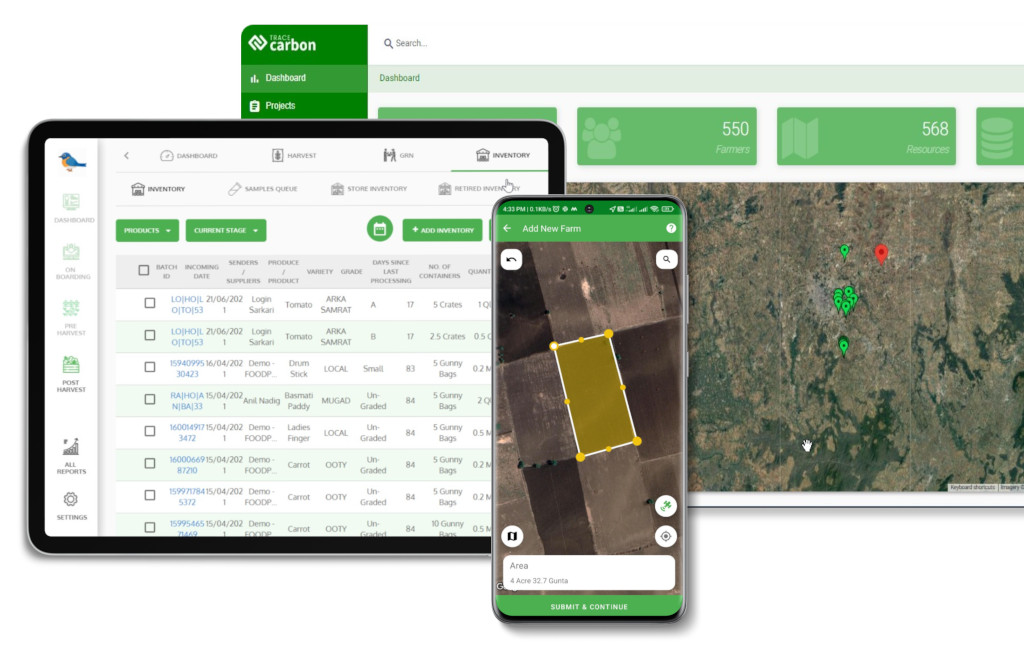
TraceX’s EUDR Compliance platform offers a built-in GeoJSON validation feature that automatically detects common errors like overlapping polygons, unclosed shapes, invalid coordinates, and syntax issues. This ensures that farm boundaries, supply chain plots, and project areas are accurately mapped and compliant with traceability and sustainability standards—helping users avoid upload failures and data inconsistencies.

See how a global tire manufacturer ensures seamless EUDR compliance with TraceX’s natural rubber traceability solution.
Read the full case study to discover how geo-location, risk assessment, and automated EU-IS integration simplify due diligence.
GeoJSON isn’t just a file—it’s your land record, your carbon project boundary, your audit trail. Every error in that file is a risk:
“We mapped our farmer plots. Everything looked fine… until the EUDR platform rejected our submission.”
What Happened:
The team uploaded farm boundary data for EUDR compliance, but one polygon had overlapping lines due to decimal rounding. It created a self-intersecting shape, triggering an automatic rejection.
Impact:
Lesson: In traceability and compliance, GeoJSON accuracy is non-negotiable. Your file is your proof of legality—sloppy shapes = shipment blocks.
“We were days away from verification when the auditor flagged our polygon boundaries.”
What Happened:
A carbon farming project submitted their forest plot boundaries for carbon credit verification. One polygon had a hole mistakenly added to represent a lake—something their MRV platform didn’t support.
Impact:
GeoJSON isn’t just data—it’s the foundation of your carbon credits and sustainability claims. One hole in your file? Could mean a hole in your balance sheet.
“Our field team did everything right—but the app couldn’t load their data.”
What Happened:
A field team collecting real-time farm plot data via a mobile app unknowingly missed a closing bracket in the GeoJSON file. The system couldn’t parse the data.
Impact:
Even the best field data is useless if your GeoJSON syntax is broken. Validation is as important as data collection itself.
From carbon credits to sustainable sourcing—your entire project’s credibility depends on clean, valid GeoJSON files. These aren’t just “IT issues”—they’re revenue risks, compliance risks, and operational bottlenecks. Treat your GeoJSON file like you treat a legal contract. Every error is a potential liability.
GeoJSON files are the backbone of digital mapping, traceability, and compliance systems—whether you’re managing farms, forests, or carbon projects. Simple errors like unclosed polygons or overlapping coordinates can cause costly delays, rejected submissions, or even regulatory risks.
By validating your GeoJSON files early, using the right tools, and following best practices, you protect your data integrity, streamline workflows, and ensure smooth uploads every time.
Common causes include unclosed polygons, overlapping shapes, syntax errors like missing brackets, invalid property names, and wrong file formats (e.g., uploading PDFs instead of .geojson).
Use software tools or QGIS to visualize, validate, and correct your GeoJSON files. Always check for closed polygons, correct coordinate ranges, and proper property formatting.
GeoJSON errors can derail EUDR compliance, farm traceability, and carbon credit verification. Accurate files ensure your project boundaries are valid, traceable, and audit-ready—protecting your revenue and reputation.